
Using Automations with Instagram
Automatically reply to Instagram messages, comments and mentions to convert social engagement into real customer connections
Published · Updated
 Lakshey
myne allows you to use Automations to instantly respond when customers interact with your business on Instagram. When someone sends a message, comments on your post, or tags your business, myne can automatically send them a direct message. Look at our website here for an example.
This helps ensure every engagement gets a response while giving you the opportunity to connect customers to your brand.
This guide builds on the following articles:
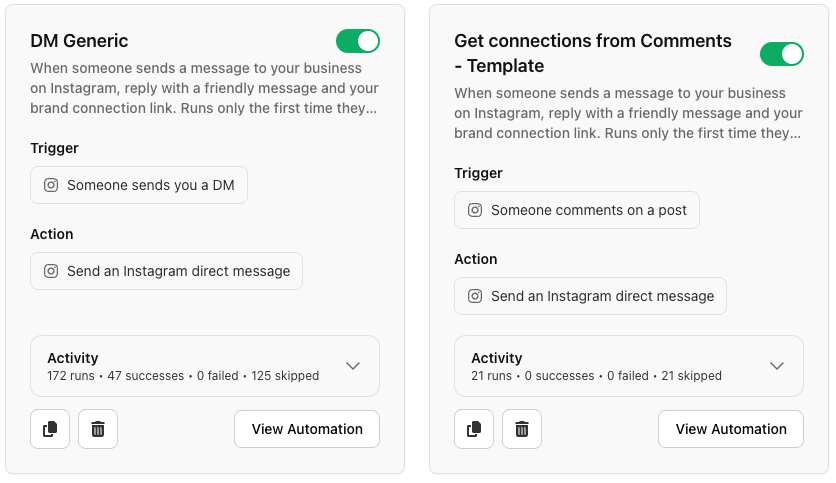
Connect your Instagram account
Before creating Instagram automations, you need to connect your Instagram account.
Go to Settings → Integrations
Select Instagram
Click View Integration
Click Connect
Sign in to your Instagram account
Note: Only Instagram Business accounts can be connected.
Once connected, Instagram triggers will become available when creating automations.
Create an Instagram automation
Navigate to Automations and create a new automation.
You can either:
Create from scratch, or
Use one of the Instagram templates
myne supports three Instagram triggers.
Customer sends your business a message - Runs when someone sends a DM to your Instagram account. This is useful for automatically replying to enquiries or welcoming new conversations.
Customer comments on your post - Runs when someone comments on one of your Instagram posts. You can use this to respond automatically when customers engage with your content.
Customer tags your business - Runs when someone tags or mentions your business in a comment, including on third-party accounts. This helps you respond when customers mention your brand elsewhere.
Send an automatic Instagram reply
Once a trigger occurs, you can configure the automation to:
Send an Instagram direct message. This allows you to automatically respond to the customer who engaged with your brand.
You can choose between two reply styles. Messages or Templates
Messages - Static or AI personalised reply
A static reply sends the same message every time the automation runs. AI personalised replies generate a unique message for each customer using available context such as First name, profile info or previous engagement.
This is ideal for campaign-based responses.
Static example uses:
Comment catering to receive catering information
Comment tickets to receive a ticket purchase link
Message menu to receive a menu link
Thanks for reaching out! Here’s more information about our catering services.
AI Example uses
Invite a regular back via their instagram if they haven't come in
Give a VIP instagram user a special discount
"Thanks Dean, the regular Oat Latte seems to be your happy place. Here's 10% off your next coffee"
Template-based replies
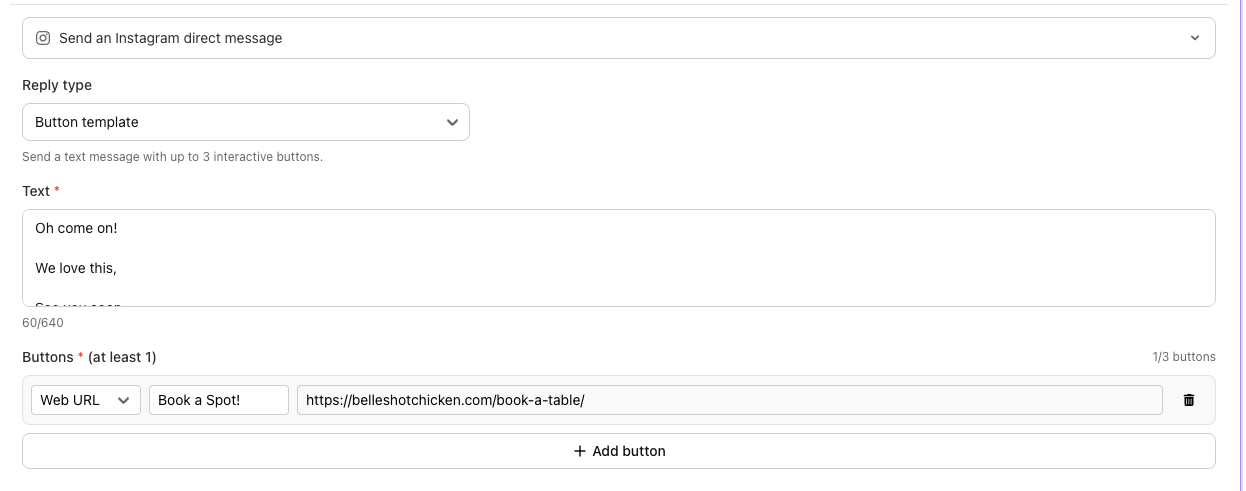
Instagram template replies let you automatically respond to customers with rich, interactive messages. Choose between a Generic Template, which includes an image, title, subtitle, and optional call-to-action buttons, or a Button Template, which focuses on a text-based reply with up to three interactive buttons. Both template types support up to three clickable buttons, allowing customers to instantly visit a website, booking page, Connection Flow, or any other destination directly from Instagram.
Generic Template – Best for visually rich responses that include an image, title, subtitle, and up to three interactive buttons.
Button Template – Best for simple text-based replies that guide customers with up to three interactive buttons.
Turning Instagram engagement into customer connections
Instagram automations can do more than respond to engagement — they can help convert followers into connected customers.
You can include a Brand Connection Link or Dynamic Connection Page link in your message.
When a customer clicks the link and completes the connection flow:
Their Instagram interaction is linked to a profile
A customer record is created in myne
Future visits and engagement can be tracked
Once connected, you can engage them through future automations and marketing campaigns.
Next: Advanced Instagram automations
To learn how to create keyword campaigns, control automation frequency, and convert Instagram engagement into customer profiles, see:
Advanced Instagram Automations
Need help?
If you need assistance setting up Instagram automations, contact us at:
support@myne.network