
Reward customers with Cashback
Give customers a percentage of their spend back as store credit towards their next purchase
Published
 Lakshey
Cashback gives customers a reason to come back. Each eligible purchase earns them a percentage of their spend as store credit, which they can use towards a future purchase with your business.
For example, with a 5% cashback rate, a customer who spends $100 earns $5 towards their next purchase. Customers can see their balance on their Apple or Google Wallet pass, keeping their reward close at hand when they visit again.
Cashback supports ongoing loyalty, while promotions help you encourage specific behaviour. You might offer cashback on eligible purchases and run a separate 15% off for members on Thursdays promotion to bring customers in on a quieter day.
Use Cashback when you want customers to earn rewards in dollars. It can also run alongside Brand Points. The credit is store credit to spend with your business, rather than money paid back to the customer’s bank account.
Set up Cashback
Go to Settings → Integrations → Cashback.
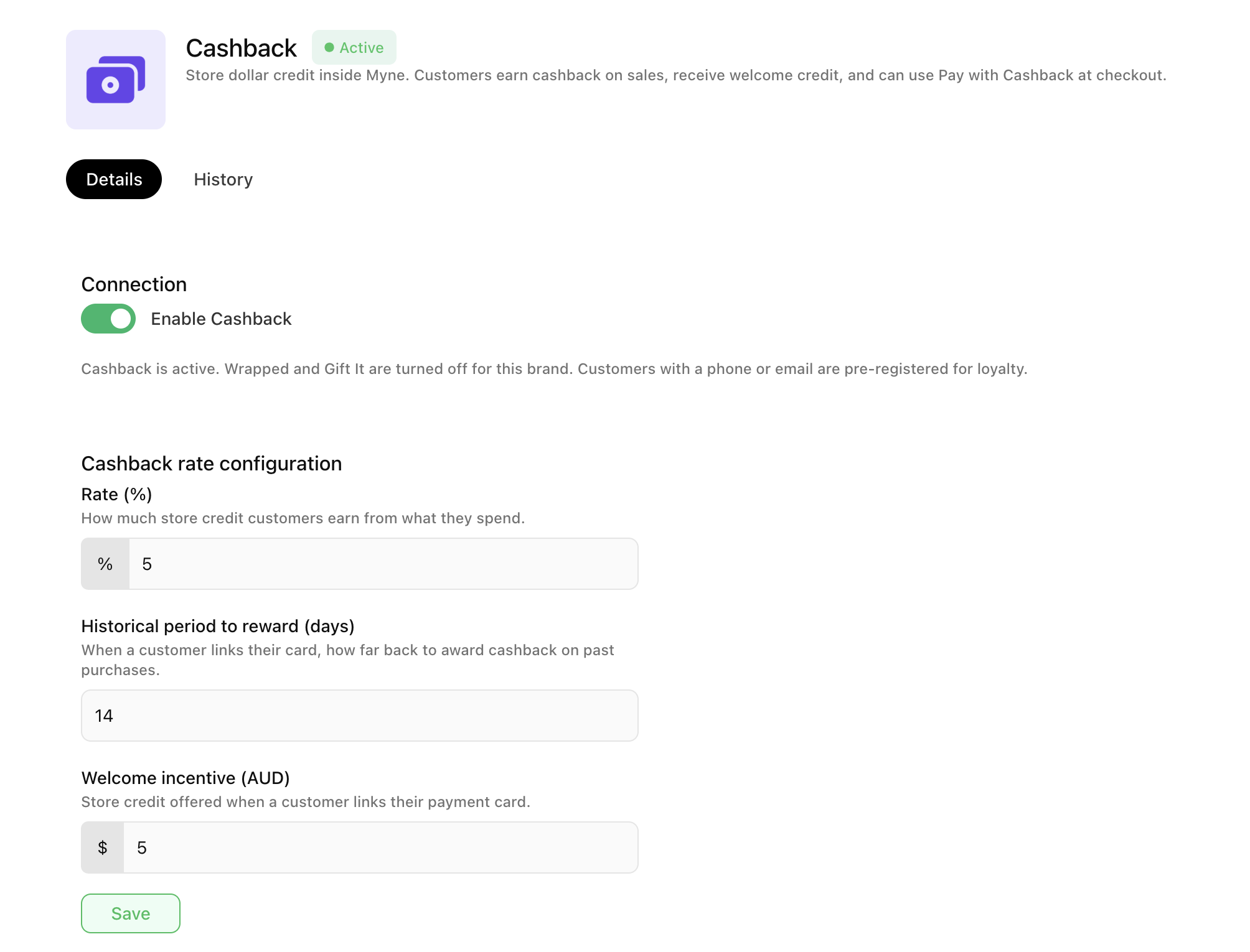
Turn on Enable Cashback.
Under Cashback rate configuration, set:
Rate (%) — the percentage of eligible spend customers earn as store credit. For example, 5% gives them $5 for every $100 spent.
Historical period to reward (days) — how far back myne looks for eligible past purchases when a customer links their payment card.
Welcome incentive (AUD) — the store credit customers receive when they link their payment card.
Select Save.
The status shows Active when Cashback is on. Customers with a phone number or email address are pre-registered for loyalty.
Enabling myne Cashback turns off Wrapped and Gift-it for that brand, as myne becomes the system that holds the cashback balance.
How customers earn and redeem
Eligible purchases from connected sales channels earn cashback at your configured rate. The balance is held in myne and displayed on the customer’s wallet pass. Purchases enter myne via your POS, ordering or online integrations.
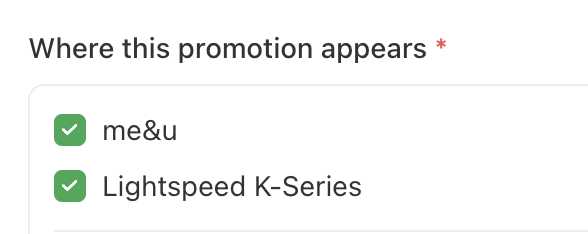
Customers can spend their credit through connected POS or ordering channels that support cashback redemption. For Lightspeed O-series, K-series, Bopple & me&u you will need to create a button via our promotions section. In myne go to Add-Ons > Promotions. Create a new promotion and use the 'Pay with Cashback' option. Ensure the channel you want the promotion to appear is also set.

For Square, enable Cashback for Square so customers can use their wallet pass to pay at the register. See Redeem Cashback at Square POS.
Use can go into a customers account in myne to review their earnings or the History tab on the Cashback page to review credits added and cashback spent.
Tailor your earning rules
Your standard cashback rate is a starting point. On the same page, you can add ordering rules to vary earning rates by channel, product, category, or Customer Group.
Use these when you want to reward certain purchases or customers differently, while keeping a standard rate for other eligible orders.