
Automations – Actions
Learn what should happen when an automation runs and how to enable it
Published
Once you've chosen your Trigger and Filters, the next step is deciding what should happen when the Automation runs. This is where you configure the Automation's actions, the tasks myne performs automatically when a customer qualifies.

What is an action?
An action is the task an Automation performs after a customer qualifies.
While Triggers identify when something happens and Filters determine who qualifies, Actions define the response.
An Automation can perform a single action or multiple actions in sequence.
For example:
Send a welcome SMS.
Add the customer to your New Customers group.
Reward them with $5 loyalty credit.
All three actions can happen automatically from a single trigger.
Note: The actions available depend on the Trigger you've selected. Some actions are only available with specific integrations.
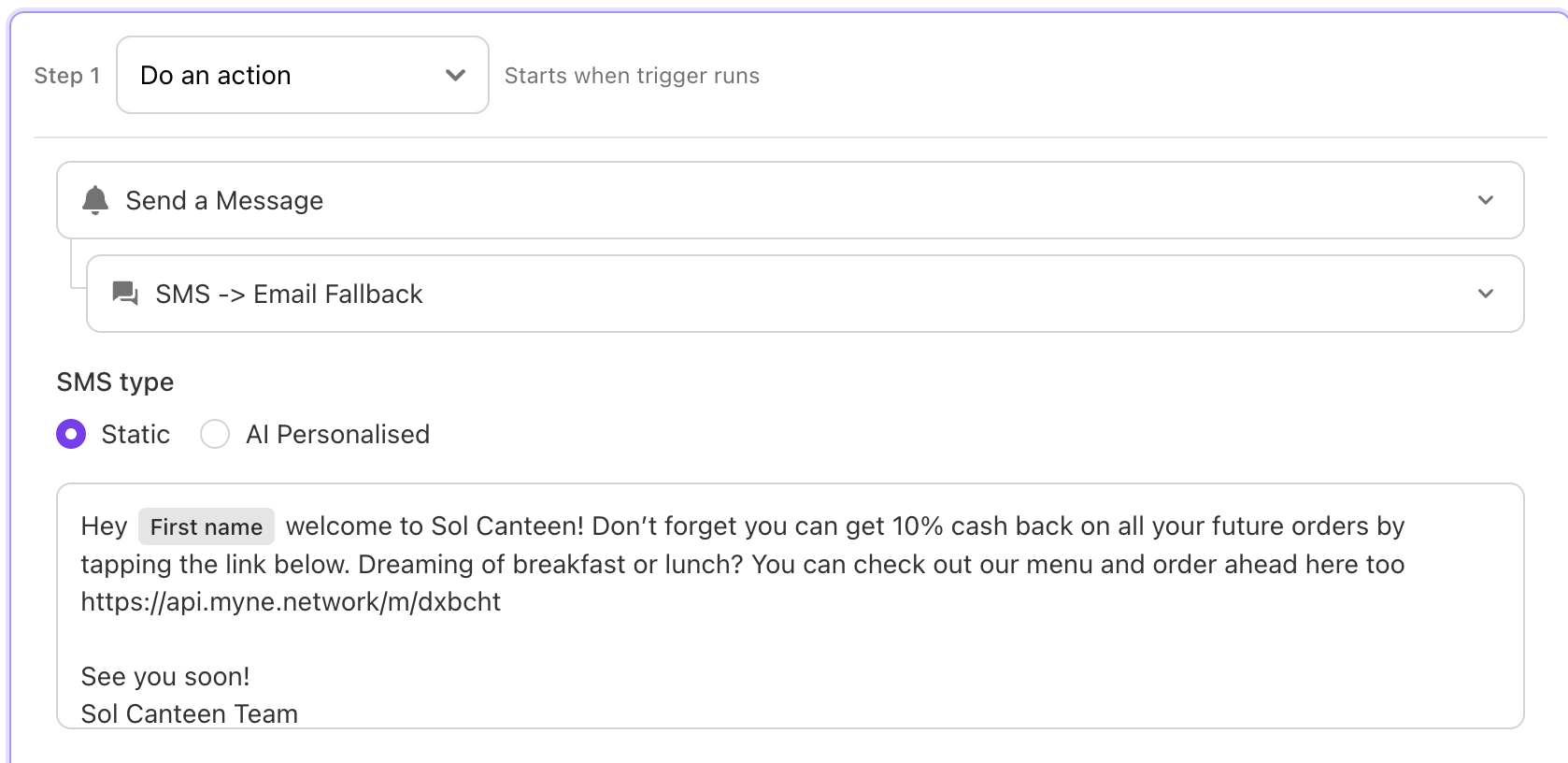
Messaging customers
Message actions help you engage customers through their preferred communication channels.
Available messaging actions include:
SMS – Perfect for timely offers, reminders, and personalised messages.
Email – Ideal for longer content, newsletters, promotions, and announcements.
Instagram Direct Messages – Automatically respond to customers who interact with your Instagram account.
Every message can be personalised using customer information and should always be previewed before making an Automation live.
Rewarding loyalty
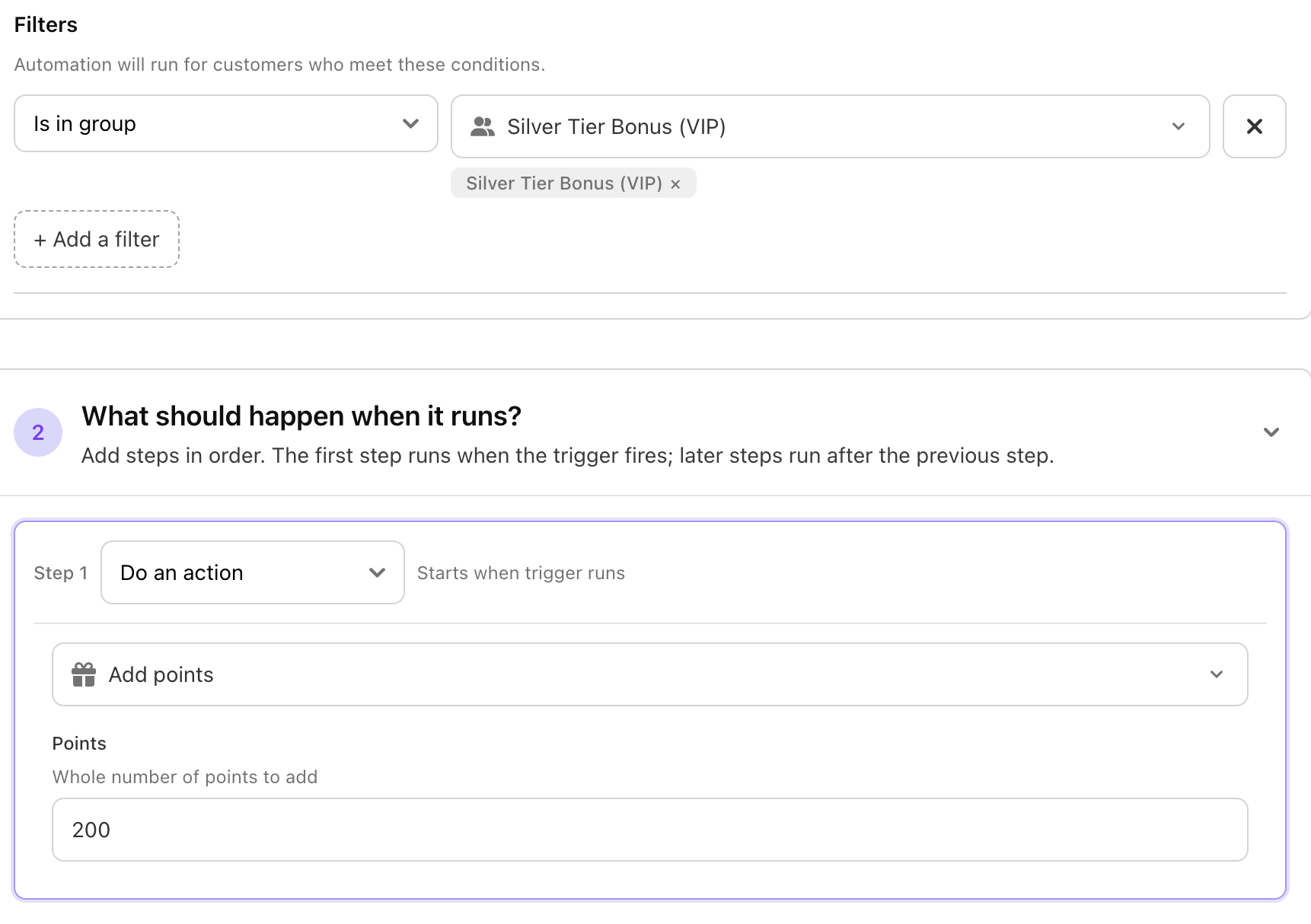
Loyalty actions allow you to reward customers automatically when they reach important milestones.
For example, you can:
Add loyalty credit after a customer's first purchase.
Reward customers after a visit milestone.
Celebrate birthdays with bonus credit.
Incentivise referrals or repeat visits.
These rewards are applied automatically whenever the Automation runs. The example below shows when a customer joins the silver tier bonus group (spent over $200 at venue) - They get a bonus 200 points.
Managing Customer Groups
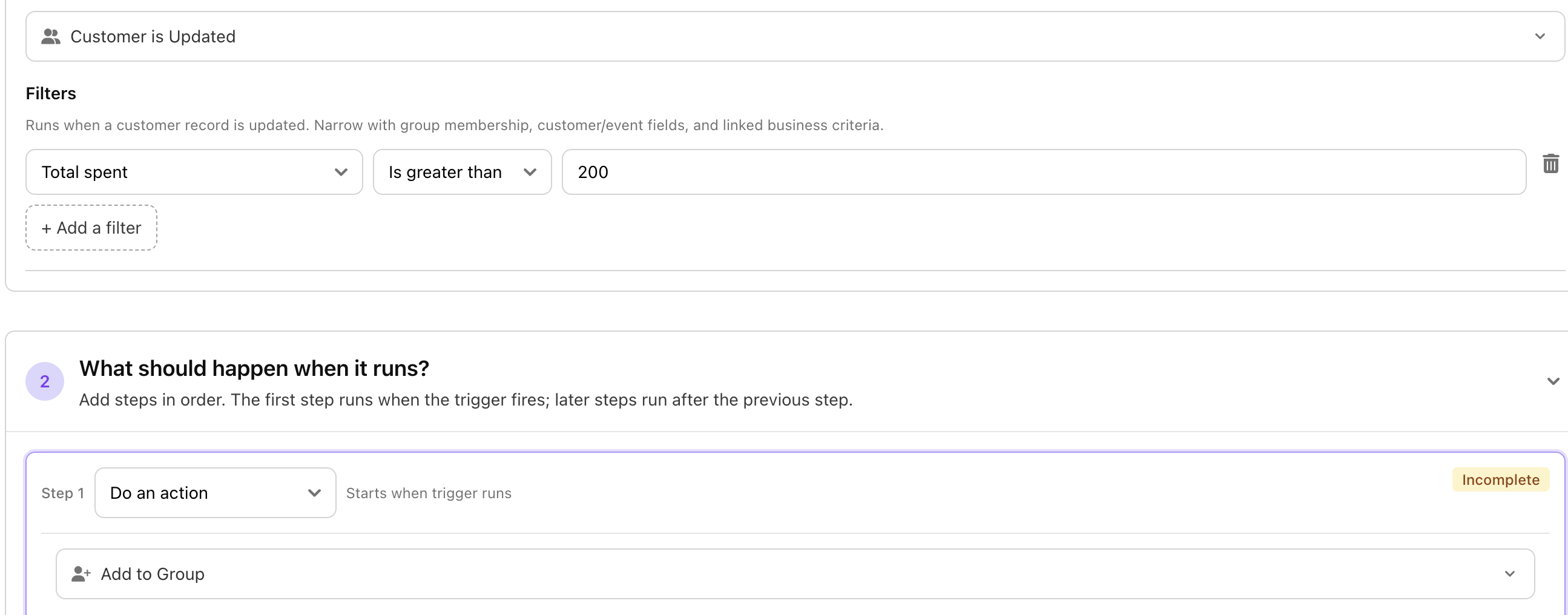
Customer Groups become even more powerful when they're updated automatically.
You can:
Add customers to a group.
Remove customers from a group.
This allows customers to move naturally through different stages of their journey as their behaviour changes.
For example, a customer could automatically move from New Customer to Regular Customer, then eventually into VIP, unlocking different campaigns and experiences along the way.
Keeping your team informed
Automations don't just communicate with customers—they can also notify your team.
For example, you might send a Slack notification when:
A VIP customer visits.
A customer reaches an important milestone.
Manual follow-up is required.
This helps your team respond quickly to important customer moments.
To get the best results from your Automations:
Preview messages before publishing.
Keep communication relevant and avoid over-messaging customers.
Use Customer Groups to build longer customer journeys.
Combine actions where it makes sense instead of creating multiple separate Automations.
Test your Automation before making it live.